
Blog
Tutorials
How to Develop Apps Without Code A Practical Guide
Learn how to develop apps without code using powerful no-code platforms. Our guide offers actionable steps to bring your app idea to life.

Nafis Amiri
Co-Founder of CatDoes

How to Develop Apps Without Code: A Practical Guide
You can develop apps without code. It is not a fantasy anymore. You do it by using visual, drag-and-drop platforms that handle all the complex programming for you. These tools let you design, build, and launch fully functional mobile and web apps through surprisingly intuitive interfaces. App creation is no longer just for developers.
The No-Code Revolution in App Development
Not long ago, building a mobile app meant you needed a team of skilled programmers and a serious budget. That world is fading fast. Today, a new wave of technology lets entrepreneurs, business owners, and creators bring their ideas to life visually, turning a complicated technical ordeal into an accessible, creative process.
This is not a minor trend. By December 2025, an incredible 70% of new applications built by organizations will use low-code or no-code tools. That is a massive jump from less than 25% back in 2020. This explosive growth shows just how effective these platforms are at helping non-technical founders turn a concept into a market-ready app in days, not months.
From Concept to Reality Faster Than Ever
The biggest win here is speed. Traditional development is slow, expensive, and often rigid. No-code platforms, especially AI-native tools that generate code for you, dramatically shorten the path from a simple idea to a tangible product. They take care of the backend infrastructure and frontend code automatically.
The real power of no-code is that it lets you focus on the what and the why of your app, not the how. You can dedicate your energy to solving a real problem for your users instead of getting lost in technical details.
This simplified process empowers you to iterate quickly based on actual user feedback. The diagram below perfectly illustrates this streamlined journey from idea to launch.
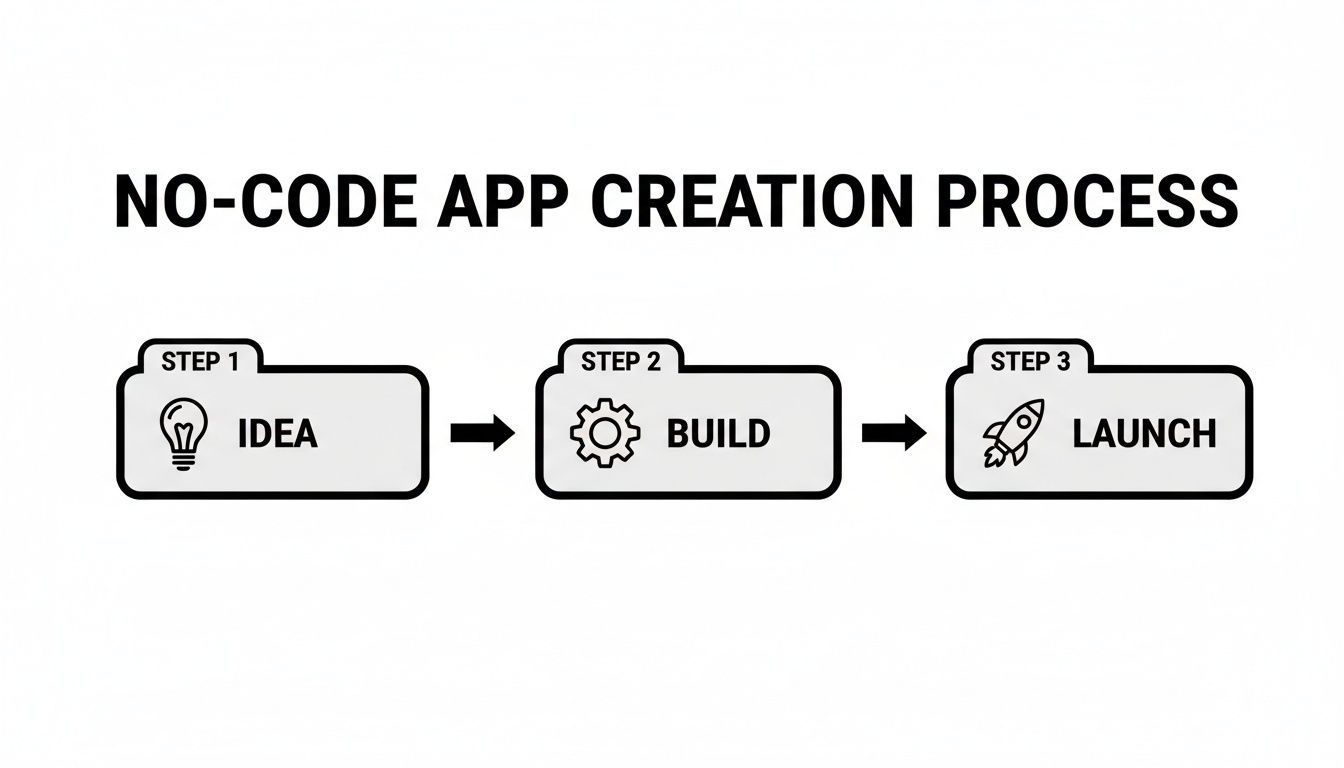
As you can see, the entire development lifecycle gets condensed into three clear, manageable phases.
Why No-Code Is Gaining Momentum
The appeal of no-code is not just for non-programmers. Even seasoned developers are using these platforms to speed up prototyping and get projects out the door faster. Here are a few key reasons for its unstoppable rise:
Lower Costs: It drastically reduces the need to hire expensive development teams or agencies.
Faster Time-to-Market: You can build and launch a Minimum Viable Product (MVP) in a fraction of the time.
Increased Agility: Making changes and adding new features is simple, allowing you to adapt to market needs on the fly.
Defining Your App Vision and Core Features
Every great app starts with a clear idea, not a line of code. Before you dive into any no-code builder, you need a solid plan. Think of it as the blueprint for a house. You would not start building without one, right? This initial phase is all about defining what your app does, who it is for, and the one core problem it solves.
Skipping this step is a classic mistake. I have seen countless founders get bogged down in features that do not matter because they never established a north star for their project. A well-defined vision keeps you focused and ensures every decision you make adds real value for your users.
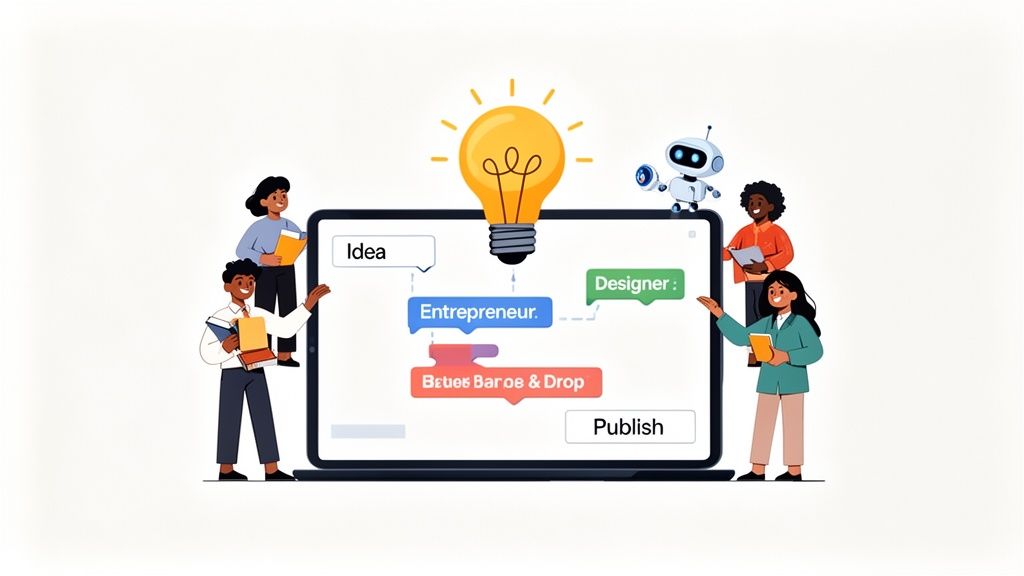
From Idea to Actionable Blueprint
First things first, you have to validate your idea. It is easy to fall in love with your own concept, but assumptions are expensive. You need to confirm that real people actually have the problem you think they do. We have got a whole guide on how to validate a business idea that walks you through this. It is a crucial process that helps you refine your app based on facts, not just gut feelings.
Once you know your idea has legs, it is time to get specific. Let's run with a real-world example. Imagine we are building an app called "EventHub" for local community organizers. The core problem? Making it dead simple to create, promote, and manage attendees for small events.
Your goal is to describe this in plain English, just like you would explain it to a colleague. This is where modern AI-native platforms are a game-changer; they can take that natural language and automatically turn it into a technical spec for you.
Defining User Roles and Their Abilities
A fantastic way to structure your app’s logic is to think in terms of user roles. Who are the different people using your app, and what do they need to be able to do? For our EventHub app, it breaks down cleanly into two main groups.
Event Host: This person needs to create events, set dates and times, write descriptions, see who is coming, and send out updates.
Attendee: This user just wants to find cool local events, see the details, RSVP with a tap, and keep track of where they are going.
By separating the app's functions by role, you create a clear map of the features each group needs. It saves you from building a cluttered, one-size-fits-all interface and helps you design a tailored, intuitive experience for everyone involved.
Defining user roles and their specific permissions is the foundation of a logical and secure app. It ensures that users only see and interact with the features relevant to them, creating a cleaner, more efficient experience.
This structured thinking also makes it way easier to define your Minimum Viable Product (MVP). Instead of trying to boil the ocean and build everything at once, you can zero in on the absolute must-have features that solve the core problem for your very first users.
Mapping Out Core Features for Your MVP
With your user roles in hand, you can now list the essential features your app needs to be useful on day one. For EventHub, an MVP feature set would look something like this:
User Authentication: Simple signup and login with email and password for both Hosts and Attendees.
Event Creation: A straightforward form for Hosts to plug in event details: title, description, date, time, and location.
Event Discovery: A main feed where Attendees can browse a list of upcoming events in their area.
RSVP Functionality: A simple "I'm Going" button so Attendees can sign up for an event.
My Events Screen: A personal dashboard for Attendees to see a list of all the events they have RSVP'd to.
Notice how simple that is? It delivers on the app's core promise without getting tangled up in nice-to-have features like payment processing or direct messaging. Those can always come later. By translating your vision into this concise list of roles and features, you have created the perfect blueprint to start building, all without writing a single line of code.
Crafting an Intuitive User Experience
Once you have got a solid blueprint for your app, the next challenge is making it look and feel great. A powerful app with a confusing interface is like a sports car with no steering wheel. It has potential, but no one can actually use it. This is where user interface (UI) and user experience (UX) design become absolutely critical.
Historically, this step meant hiring a professional designer and endless back-and-forth. But when you develop apps without code using modern AI, the process is completely different. You get to be the creative director, guiding an AI designer to build a beautiful, functional interface for you.
Automating Design with Simple Instructions
Let’s go back to our "EventHub" app for community organizers. Instead of sketching wireframes or briefing a designer, we can just talk to the AI. With an AI-native platform like CatDoes, you give instructions in plain English to generate a complete visual theme.
You could kick things off with a simple prompt:
"Design a friendly and vibrant theme for a community events app. Use a warm color palette with shades of orange and blue to feel inviting and energetic."
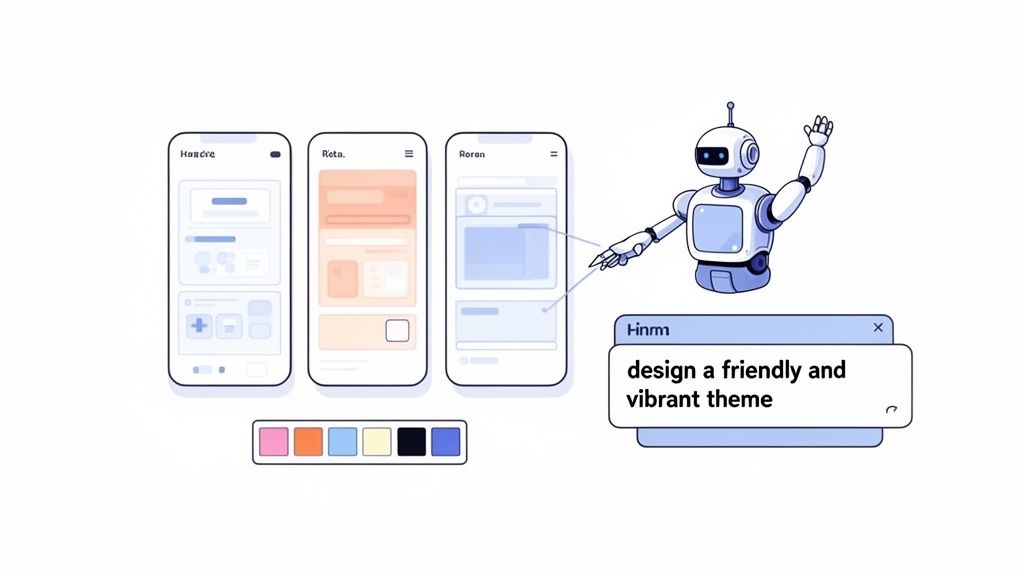
In seconds, the AI Designer generates a cohesive look for your app, complete with color schemes, typography, and button styles. It is like having a design expert on call, ready to translate your vision into a polished interface almost instantly.
This screenshot from CatDoes shows just how clean this interaction is. You are literally having a conversation with the AI to build your app.
The visual shows natural language prompts turning into real app components, making the whole process feel conversational and intuitive.
Refining Your App's Look and Feel
The first draft is rarely the final one. The real magic happens when you start refining. Maybe that orange is a little too bright, or the font feels too formal for your brand. With a no-code platform, you just provide iterative feedback to tweak the design in real-time.
You can follow up with more specific requests:
"Make the primary call-to-action buttons a darker shade of blue for better contrast."
"Change the main heading font to something more rounded and casual."
"Design the event cards with a clean, minimalist layout, showing the event title, date, and a small image."
This conversational approach completely removes the technical barriers of traditional design. You do not need to know a thing about hex codes or CSS. You just need to know what you like. For a deeper dive into creating the visual world your user lives in.
A great design is about more than just pretty colors; it is about creating a flow that feels effortless. A user should be able to navigate your app without even thinking about it. The layout has to be logical, with the most important information and actions right where they expect them.
An AI-powered platform helps here, too. It already understands common UX patterns and can generate layouts that are both aesthetically pleasing and highly functional. For example, it will automatically place key buttons where users expect them and organize information in a clean, scannable way. To learn more about structuring your app for usability, our guide on app design best practices offers some great insights into creating user-friendly layouts.
By automating the heavy lifting of design, these tools free you up to focus on the user's actual journey. You can quickly build and visualize different screen layouts, test how they feel on a real device, and make adjustments on the fly, ensuring your app is not only beautiful but a genuine delight to use.
Building Your App's Backend and Logic
If the user interface is the face of your app, the backend is its brain. This is where your application truly comes alive, handling everything from user logins and data storage to the complex rules that make your app work. For anyone looking to develop apps without code, the thought of building a backend can sound intimidating. But modern platforms have turned this once-complex process into a series of manageable, automated steps.
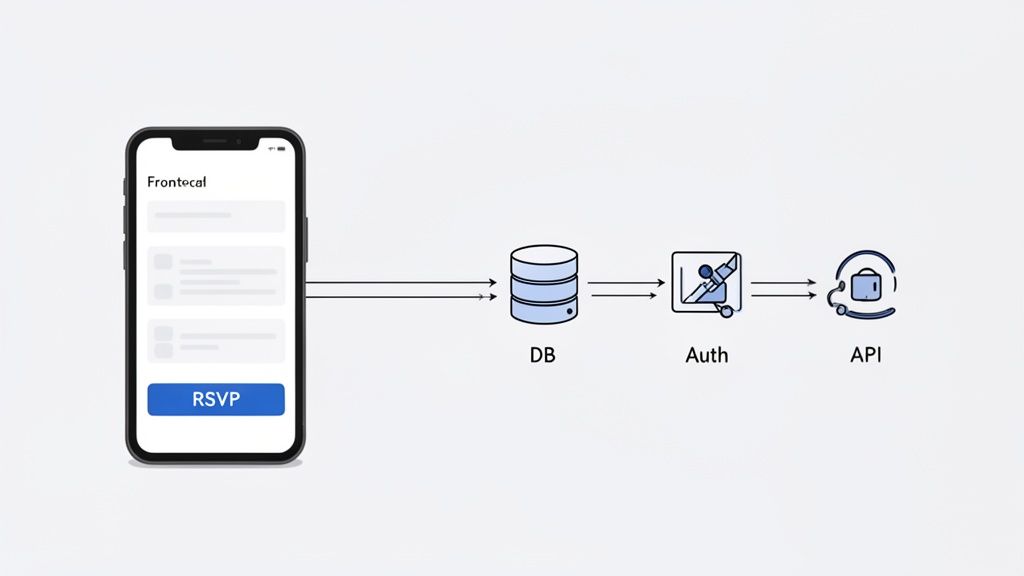
This is the phase where you connect the dots between your app's design and its actual function. Let's go back to our "EventHub" example. When a user taps the "RSVP" button on an event screen, what happens next? That simple action needs to trigger a whole sequence of events. The system has to identify the user, find that specific event in a database, and then record that user's attendance.
Automating Backend Infrastructure
Traditionally, setting this up would mean hiring specialized engineers to configure servers, set up databases, and write secure authentication logic from scratch. Today, AI-native platforms like CatDoes can generate a complete backend for you automatically, often using powerful and scalable solutions like Supabase.
This automation handles the three core pillars of any modern application backend:
Database Creation: The platform will spin up database tables to store all your app's information. For EventHub, this means separate tables for
users(holding login details) andevents(holding event information).User Authentication: A secure system for users to sign up, log in, and manage their accounts is generated right out of the box. This includes handling password resets and ensuring data privacy.
Server-Side Logic: This defines the rules for how your app behaves. For example, it dictates that only a user with the "Event Host" role can create or edit an event.
This hands-off approach is a form of Backend as a Service (BaaS), where all the complex server management is done for you. If you are new to the term, you can learn more about how Backend as a Service works and why it’s a cornerstone of modern app development. It lets you focus entirely on your app's features, not server maintenance.
Connecting the Frontend to the Backend
With your backend infrastructure in place, the next step is to link your UI elements to specific actions. This is often done through a visual workflow builder where you define the logic for what happens when a user interacts with a button, form, or any other component.
For that "RSVP" button in our EventHub app, the logic would look something like this:
Trigger: A user taps the "RSVP" button.
Action: The app sends a request to the backend.
Process: The backend identifies the current user and the specific event they are viewing.
Database Update: It adds a new entry to an
rsvpstable, linking that user's ID with the event's ID.UI Feedback: The button on the user's screen changes to "Going!" to confirm the action was successful.
You configure this entire process visually, without touching a single line of code. You are essentially drawing a flowchart of your app's behavior, which makes it far easier to build and troubleshoot even complex interactions.
The beauty of no-code logic building is that it demystifies programming. Instead of writing abstract functions, you are visually mapping out cause and effect, which is a much more intuitive way to think about how an application should work.
Managing Data Without Technical Expertise
One of the most powerful aspects of modern no-code platforms is how they simplify database management. You do not need to be a database administrator to create and manage the structures that hold your app's data.
Continuing with our EventHub example, you would visually define the columns for your events table:
Column Name | Data Type | Description |
|---|---|---|
| Unique ID | A unique identifier for each event. |
| Text | The name of the event. |
| Text | A detailed description of the event. |
| Date/Time | The scheduled date and time of the event. |
| Reference | Links to the user who created the event. |
You set this up using simple dropdowns and input fields, and the platform handles all the technical implementation behind the scenes. This level of abstraction is what makes it possible for anyone to build a truly data-driven application. By transforming complex backend processes into a series of automated and visual steps, these platforms make robust app functionality accessible to everyone, empowering you to develop apps without code.
Testing, Deploying, and Growing Your App
Getting your app built is a huge milestone, but the real work starts the moment you decide to launch. This final stretch is all about making sure the user experience is flawless. That means rigorous testing, cutting through the red tape of the app stores, and getting into a rhythm of continuous improvement.
Thankfully, when you develop apps without code, these steps are far simpler and more automated than they ever were with traditional development.
First things first: you have to actually test your app. I mean really use it. You need to get out of the builder and see how it feels in your hand on a real device. Modern platforms make this incredibly easy. You can usually get a live preview right in your browser or just scan a QR code to pop the app open on your iPhone or Android.
This is not some clunky simulation; it is your app running natively. Getting that hands-on feel is critical. It is how you spot weird bugs, awkward user flows, and design quirks on different screen sizes before your customers ever see them.
Navigating the App Store Submission Process
Once you are confident your app is ready for the world, it is time to deploy. Anyone who has done it the old way will tell you that submitting to the Apple App Store and Google Play Store is a beast. It is a maze of strict technical requirements, code signing, and confusing build configurations. This is where a lot of no-code projects used to hit a brick wall.
But this has completely changed. Advanced AI-native platforms like CatDoes have automated build-and-release agents that handle all of it for you. Think of it as having a tiny, dedicated DevOps team that lives inside the platform.
Here’s what these agents typically manage behind the scenes:
Generating Build Files: They compile your project into the exact formats Apple (
.ipa) and Google (.apkor.aab) demand.Handling Certificates: They sort out all the necessary security certificates and provisioning profiles needed for a valid submission.
Automated Submission: The agent can even prep your app listing and push the build directly to the stores for review.
This automation turns what was once a multi-day technical nightmare into a simple, guided flow. You get to focus on marketing your launch, not wrestling with Xcode.
Gathering Feedback and Iterating Quickly
Your job is not over when the app goes live. Far from it. A successful app is never truly "finished"; it is a living product that evolves with real user feedback. This post-launch phase is all about listening and making rapid improvements.
Because you can develop apps without code, this iteration cycle is lightning-fast. If users are getting stuck on a screen or asking for a new feature, you can jump into the builder, make the changes, and push an update to the app stores in a tiny fraction of the time it would take a traditional dev team.
A successful app is not a finished product; it's a continuous conversation with your users. The speed of no-code development allows you to respond to their feedback almost in real-time, building a product they truly love.
This agility is your secret weapon. While other companies are bogged down in long development sprints, you can implement changes, test them, and deploy them in a matter of days. That’s how you keep your app relevant and valuable.
Preparing for Future Growth and Scalability
As your app gains traction, you might find yourself needing more advanced features or wanting to bring in a developer for something highly custom. The best no-code platforms anticipate this and give you a smooth off-ramp for scaling up.
One of the single most important features for long-term growth is GitHub integration. Syncing your no-code project to a GitHub repository creates a complete, version-controlled backup of your app's actual source code. This is non-negotiable for a serious project.
Here's why:
Version Control: You get a full history of every change, letting you roll back to a previous version if an update goes wrong.
Developer Handoff: It gives you a clean, professional way to hand the project over to an engineering team if you outgrow the platform.
Future-Proofing: You own your code. It ensures you are never locked into a single platform and gives you the freedom to take your app anywhere.
This final step closes the loop, turning your no-code creation into a scalable, professional-grade asset ready for whatever comes next.
The Financial Benefits of No-Code Development
While the sheer speed of no-code is what gets everyone’s attention, the economic argument is what is really driving its adoption. Choosing to develop apps without code is not just a technical shortcut; it is a strategic financial decision that unlocks massive savings and a much faster path to profitability.
The biggest win comes from sidestepping the need for a large, specialized, and expensive development team.
This completely changes your operational overhead. Instead of budgeting for multiple developer salaries, benefits, and the high cost of recruitment, you can pour those resources directly into what grows the business: marketing, customer acquisition, and product iteration. It finally makes app development a realistic option for startups and small businesses that were previously priced out of the market.
Unpacking the Cost Savings
The numbers behind no-code are hard to ignore. We are not talking about a minor cost reduction. It is a fundamental shift in how app development is financed. This efficiency is what allows startups to validate ideas with minimal cash burn and enables agencies to serve more clients without needing huge upfront capital.
Research shows that no-code platforms can deliver 65-70% cost reductions compared to traditional development. You get to avoid the staggering $133,080 median salary for a developer while still achieving an incredible 362% ROI. The market itself is exploding, projected to grow from $30.1 billion in 2024 to a massive $101.7 billion by 2030. You can dig into more data on how no-code slashes development costs.
This all translates directly into revenue. By shrinking the development cycle from months to days, you get your product in front of customers sooner, start generating income faster, and collect the real-world feedback that fuels your next move.
Accessible Pricing Models for Every Stage
No-code platforms also make the finances more manageable with flexible pricing. Forget the rigid, five- or six-figure project costs of traditional development. Most tools, including CatDoes, offer tiered subscriptions that grow with your business, turning a huge, unpredictable capital expense into a predictable monthly one.
The path is usually pretty clear:
Free Tiers: Perfect for learning the platform, building your first prototype, or launching a small personal project without spending a dime.
Starter Plans: Affordable monthly subscriptions that unlock more features and capacity as you start getting real users.
Business and Enterprise Plans: Robust solutions designed for multiple apps, larger teams, and the kind of security and support that established businesses need.
This scalable pricing model de-risks the entire process. You can start small, prove your concept on a free plan, and only invest more as your app actually starts gaining traction. It aligns your costs directly with your success.
Your Questions, Answered
Even with all the excitement around building apps without code, it is smart to have questions. This is a new way of working, and you need to know what is real versus what is hype. Let's dig into some of the most common things people ask.
Can I Really Build a Complex, Scalable App This Way?
You absolutely can. Modern AI-native platforms are not just for simple prototypes anymore. They are designed to handle real complexity from day one, generating a complete front-end with established frameworks like React Native Expo and building out a full backend with databases, user authentication, and server-side logic.
This means you can create production-ready applications that are robust enough for many different businesses. Think B2C services, internal company tools, or even a startup's first product. All are fully capable of growing with your user base without hitting a technical wall.
What Are the Real Limitations?
While these platforms are incredibly capable, they do have some boundaries. Highly specialized features, like intricate custom animations or direct hardware integrations (think accessing a phone’s internal gyroscope), can be tricky to pull off with a prompt alone.
But the best platforms have a smart escape hatch for this. They offer the ability to sync your project with a GitHub repository, giving you full access to the underlying source code.
This creates a perfect handoff point. If you ever hit a ceiling and need a traditional developer to add one very specific custom function, they can start with a clean, professional codebase instead of building your entire app from scratch.
How Much Does It Actually Cost to Build an App?
It is a fraction of the cost of traditional development, which can easily run into the tens or even hundreds of thousands of dollars. Most no-code platforms use a tiered pricing model that makes app development affordable for just about anyone.
Free Plan: Many services have a free tier that is perfect for building your first app, creating a prototype, or running a small personal project.
Subscription Tiers: As your app grows and your needs get more complex, you can move up to an affordable monthly subscription. These plans unlock more resources, support for multiple apps, and advanced features.
This model completely removes the massive upfront financial risk. You can validate your idea and start building a community of users before making a larger investment, aligning the cost directly with your app's growth and success.
Ready to turn your idea into a real app, without all the usual complexity and cost? CatDoes is an AI-native platform that generates production-ready mobile apps from simple, natural-language descriptions. You can get started for free and launch your app faster than you ever thought possible.
Nafis Amiri
Co-Founder of CatDoes


