Blog
Insights
ChatGPT vs Cursor 2026: Pricing, Plans, Models
ChatGPT vs Cursor in 2026: GPT-6.1 Sol in Codex vs Composer 2.5 and Claude in Cursor, plan-by-plan pricing, and what the November OpenAI cutoff changes.

Nafis Amiri
Co-Founder of CatDoes
TL;DR: ChatGPT is a general AI assistant that ships Codex, a coding agent running in your terminal, IDE, and the cloud. Cursor is an AI code editor built around running agents against your real codebase. Both start at $20/month. ChatGPT wins for learning, research, and planning, and it is the only one of the two with OpenAI's newest coding model, GPT-6.1 Sol. Cursor wins for editing and shipping code across many files. SpaceX now owns Cursor, and OpenAI plans to cut Cursor's access to OpenAI models on a proposed date of November 12, 2026.
OpenAI shipped GPT-6.1 Sol on September 29, one week after GPT-6 Sol and GPT-6 Luna. On October 7 it became the default model in the Codex CLI, and the same day OpenAI began moving paid users of the chat window to GPT-6. Cursor got none of it. SpaceX closed its $60 billion acquisition of Cursor on August 14, and OpenAI is holding back new models while it winds down the deal that supplies them.
So a comparison written before October has ChatGPT's models wrong, and one written before August has Cursor's owner wrong. This guide compares the current versions across models, features, pricing, specific coding tasks, and developer roles, checked against OpenAI's and Cursor's own documentation.
Table of Contents
What Is ChatGPT?
What Is Cursor?
ChatGPT vs Cursor: Key Differences
Which AI Models Each Tool Runs
What SpaceX's Acquisition Means for Cursor Users
How They Handle Your Code Context
How They Compare for Specific Tasks
Pricing Comparison
Which Tool Fits Your Role?
Can You Use Both Together?
Other AI Coding Tools to Consider
Frequently Asked Questions
The Bottom Line
What Is ChatGPT?
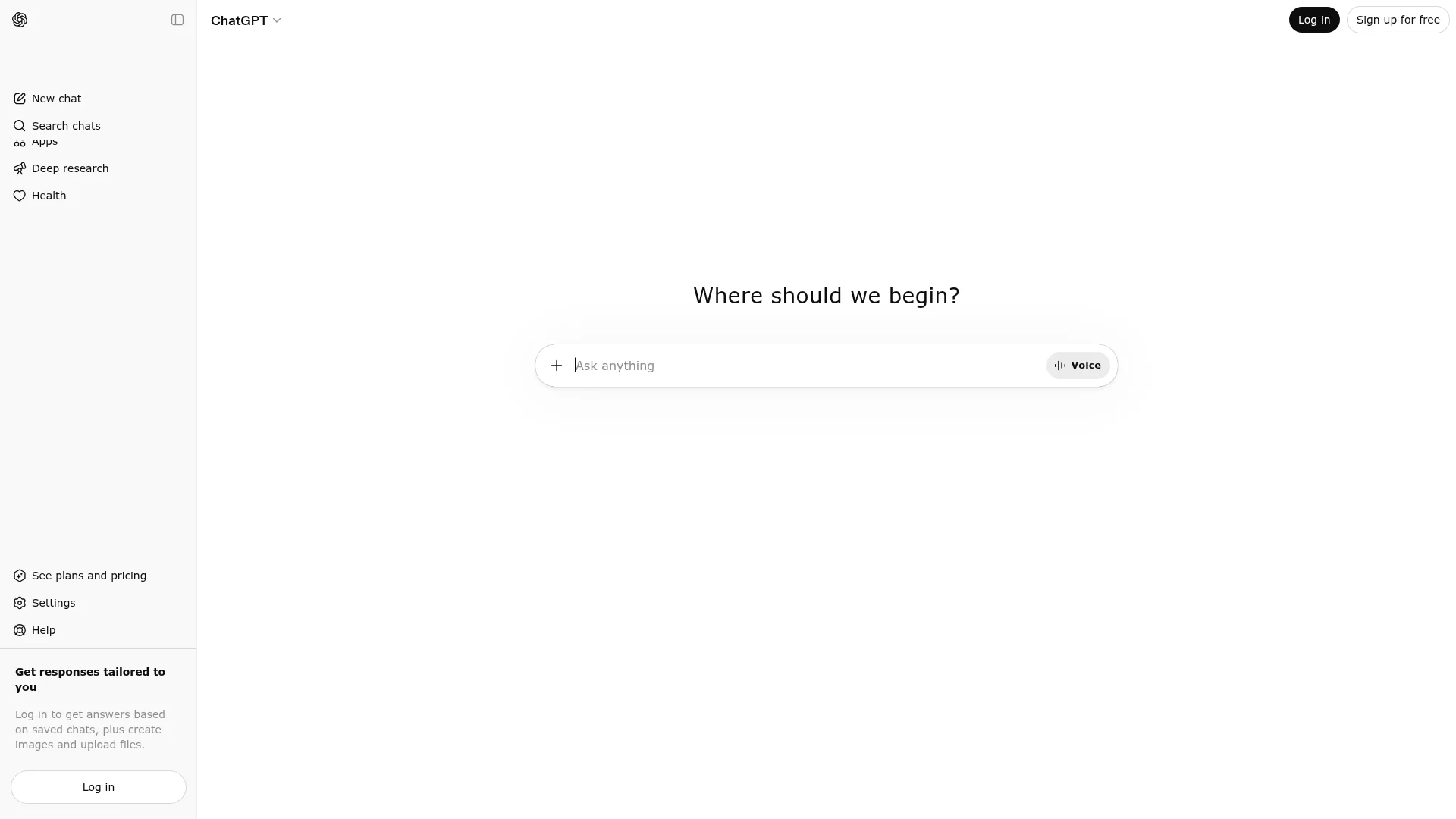
ChatGPT is a conversational AI assistant built by OpenAI. It handles writing, coding, research, image generation, and data analysis in one interface.
For developers, ChatGPT plays two roles. The chat interface is a thinking partner where you describe a problem and get explanations or fixes back. Codex is the other half: an agent that reads and edits real project files, and it no longer lives only inside a browser sandbox.
Key coding features include:
Codex across surfaces including the web, a command-line tool, an IDE extension, iOS, and cloud environments
Code blocks that appear inline in the conversation and can be edited in place. These replaced the old Canvas panel, which OpenAI removed in May 2026
Automatic code review and Slack integration on Plus and above
Deep Research for investigating frameworks and libraries before you commit to an approach
Multimodal input so you can paste screenshots, diagrams, or error messages
One detail that matters for this comparison: Codex can import agent configurations from Claude Code and Cursor, so switching between them costs less setup time than it used to. That portability is worth more now than it was in the spring.
What Is Cursor?
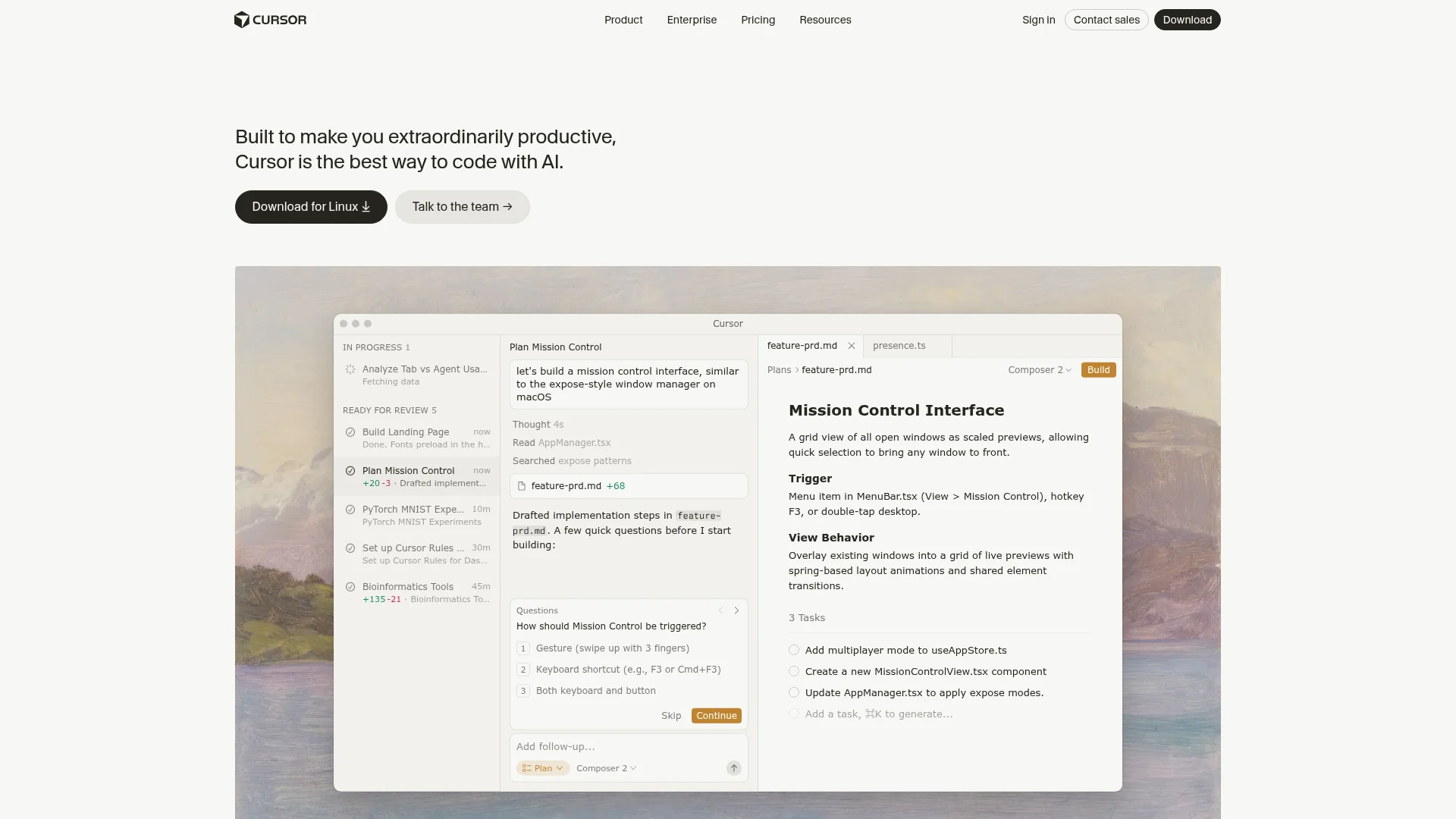
Cursor is an AI code editor originally built by Anysphere. It began as a fork of Visual Studio Code, so the layout feels familiar, but the product has moved well past autocomplete. Since August 14, 2026, Anysphere has been a wholly owned SpaceX subsidiary, folded into the SpaceXAI group that also absorbed xAI earlier in the year.
Cursor 3.0, released in April 2026, reorganized the app around an Agents Window where you run several agents at once across local folders, git worktrees, cloud machines, and remote SSH targets. Releases since then added self-hosted execution machines and Cursor Projects, which puts a coordinator agent in front of a pool of subagents and keeps shared context between runs.
Key features include:
Tab completions that predict your next edit using full project context
Agent mode for multi-step tasks across files, with terminal and browser control
Cloud Agents that run on isolated VMs in unlimited parallel, available on paid plans
Subagents that spin up on their own machines for tasks you want isolated
Bugbot, an agentic pull request reviewer billed on usage
Security Review, added in September 2026 on Teams and Enterprise plans, which scans pull requests for exploitable flaws like SQL injection, auth bypasses, and SSRF
Privacy mode that keeps your code off remote servers
Cursor also reaches beyond the desktop. There is an iOS app, a web app for managing agents, and a Slack integration for kicking off work from a message. Since October 6, the iOS app can also see and reply to agents running locally on your computer.
ChatGPT vs Cursor: Key Differences
The table below shows how the two tools compare across the features that matter most for daily development work.
Feature | ChatGPT | Cursor |
|---|---|---|
Type | General AI assistant plus Codex agent | AI code editor and agent platform |
Owner | OpenAI | SpaceX, since August 2026 |
Codebase access | Chat has none; Codex reads and edits files | Full project-wide indexing |
Code editing | Inline code blocks, or direct edits via Codex | Direct in-editor file changes |
Default coding model | GPT-6.1 Sol in Codex | Composer 2.5 |
OpenAI models | All of them, first-party | Up to GPT-5.6, with a proposed end date of November 12, 2026 |
Parallel agents | Cloud tasks, limited by plan rate limits | Agents Window, unlimited parallel Cloud Agents |
Terminal access | Yes, through the Codex CLI | Yes, integrated in the editor |
Code review | Automatic cloud code review | Bugbot on usage billing; Security Review on Teams and Enterprise |
Non-coding tasks | Writing, research, images, data analysis | Code-focused only |
Platform | Web, iOS, Android, macOS, Windows, CLI | macOS, Windows, Linux, iOS, web |
The gap that used to define this comparison was codebase awareness, and it has closed. Codex edits real files. What separates the two now is scale of orchestration against breadth of models: Cursor is built to supervise many agents working in parallel, while ChatGPT is one very capable assistant that happens to code, running on models Cursor is about to lose.
Which AI Models Each Tool Runs
This is where the most has changed, and where nearly every older comparison is now wrong.
ChatGPT runs the GPT-6 family, with GPT-6.1 Sol as its newest coding model. OpenAI released GPT-6 Astra on September 3, added GPT-6 Sol and GPT-6 Luna on September 22, and shipped GPT-6.1 Sol on September 29. There is no GPT-6 Terra, and there is no 6.1 version of Astra or Luna. TechCrunch, citing the Wall Street Journal, reported that OpenAI scrapped a 6.1 Astra release over safety concerns.
Model | API price per 1M tokens | Context window | Built for |
|---|---|---|---|
GPT-6 Astra | $10 in / $50 out | 1.05M | The hardest work across code, computer use, and research |
GPT-6.1 Sol | $2 in / $10 out | 1.05M | Complex coding, computer use, and agentic work |
GPT-6 Sol | $2 in / $10 out | 1.05M | The previous Sol, still selectable in Codex |
GPT-6 Luna | $0.10 in / $0.50 out | 1.05M | Focused, high-volume tasks |
GPT-6.1 Sol keeps GPT-6 Sol's $2 in / $10 out list price and halves the cached-input rate to $0.10 per million tokens. That matters for coding agents, which resend the same project context on every turn. All four models share a 1.05M-token context window, so picking the cheap model does not cost you context. One catch: requests above 272K input tokens bill at 2x the input rate and 1.5x the output rate for the whole request.
What GPT-6.1 Sol improves. OpenAI pitches it as near-Astra performance at a lower cost for complex coding and computer use. Independent numbers back up the gain over GPT-6 Sol. At max effort, Artificial Analysis scores GPT-6.1 Sol at 52 on its Intelligence Index, 11th of 227 models, against 48 for GPT-6 Sol. It also costs $0.72 per index task against $1.04, about 31% less. Vals AI separately measured it at 55.05% on Terminal-Bench 4.0.
Where each model shows up matters more than usual. GPT-6.1 Sol lives in Codex and ChatGPT Work only. OpenAI's pricing docs put it plainly: it is "available in Work and Codex, not Chat." Plus, Pro, Business, Enterprise, and Edu get it, with Enterprise and Edu off until an admin turns it on. Free and Go do not get it.
The chat window changed separately. Starting October 7, OpenAI began rolling out "GPT-6" as the default in chat for paid plans, and it runs on GPT-6 Sol rather than 6.1. Free and Go users move to GPT-6 Luna from October 8. GPT-6 Pro, which runs on Astra, stays in chat on Pro, Business, and Enterprise. So a Plus subscriber coding in Codex can use GPT-6.1 Sol, while the same subscriber asking a question in chat gets GPT-6 Sol.
If you are working from an older guide, a lot of names in it are dead. GPT-4o, GPT-4.1, and o4-mini left in February 2026, o3 was retired in August, GPT-5.4 and GPT-5.4 Mini left Codex on August 31, and GPT-5.3-Codex-Spark was removed from the Codex app, CLI, and IDE on September 14 after roughly seven months. GPT-5.5 retires from ChatGPT, ChatGPT Work, and Codex on October 14, so any script pinned to it needs repointing. OpenAI's docs point paid users to GPT-6 Sol as the replacement.
Cursor runs its own models plus most of everyone else's. Billing splits into two pools. First-party Cursor models cover Composer 2.5 and Grok 4.7, 4.6, and 4.5, and carry more included usage. Cursor's model docs list the Grok models as jointly trained by Cursor and SpaceXAI. Everything third-party draws on a separate pool at that model's API rate.
Pool | Models | Notes |
|---|---|---|
Cursor models | Composer 2.5, Grok 4.7, Grok 4.6, Grok 4.5 | Composer 2.5 runs $0.50 in / $2.50 out per million tokens; Grok 4.7 runs $2 / $6 |
Other models | Claude Opus 5.5, Claude Sonnet 5.5, Claude Haiku 5.5, Claude Fable 5.1, Gemini 3.1 Pro, Gemini 3.8 Flash, Muse Spark 1.3 | Billed at API rates; Teams and Enterprise add $0.25 per million tokens. Older models like Claude Sonnet 5, Kimi K3, and GLM 5.2 are hidden by default |
OpenAI models | GPT-5.6 Sol, Terra, and Luna, plus older GPT-5.x and Codex variants | No GPT-6 models; support ends on the proposed November 12, 2026 cutoff |
The closest match to GPT-6.1 Sol inside Cursor is Claude Sonnet 5.5, which Cursor added in late September at the same $2 in / $10 out list price. If you are moving a Cursor workflow off OpenAI models, it is the obvious first model to test.
Composer 2.5, released in May 2026, is still Cursor's in-house model and the recommended default for hands-on agentic coding. On Cursor's published benchmarks, it scores 79.8% on SWE-Bench Multilingual, close behind Claude Opus 4.7 at 80.5% and ahead of GPT-5.5 at 77.8%, and 69.3% on Terminal-Bench 2.0, effectively tied with Opus 4.7 at 69.4% but well behind GPT-5.5 at 82.7%. Read those numbers with the date in mind: every model they compare against has since been superseded.
The pitch for Composer was never that it beats the frontier models. It is that it lands near them at much lower latency and cost, which matters when an agent is making dozens of tool calls in a row. That argument gets more important to Cursor as its model roster narrows. A successor has not shipped yet. The same Composer page says only that Cursor and SpaceXAI are training "a significantly larger model from scratch, using 10x more total compute," with no name or release date.
What SpaceX's Acquisition Means for Cursor Users
SpaceX closed its $60 billion all-stock acquisition of Anysphere on August 14, 2026, converting Anysphere shares into roughly 389 million SpaceX Class A shares. It is the largest startup acquisition on record, and Cursor now runs as a SpaceX subsidiary.
Two weeks later, OpenAI said it would wind down the contract that supplies its models to Cursor. Its stated reason was trust: OpenAI wrote that it "cannot be confident that SpaceX will use our technology within our terms of service," citing Twitter breaking its OpenAI contract after Musk acquired it and Musk admitting under oath that xAI had violated OpenAI's terms. Mechanically, OpenAI is exercising a change-of-control clause the acquisition triggered.
The proposed shutoff date is still November 12, 2026, which OpenAI describes as the latest date its contract allows. OpenAI's help page adds that "Cursor may choose to end access sooner" and that the official date will be shared once both companies confirm it. OpenAI is also withholding new releases during the wind-down, which is why GPT-6 and GPT-6.1 Sol never reached Cursor.
What that means in practice:
OpenAI models through GPT-5.6 are still selectable in Cursor right now
After the cutoff, Cursor-supplied OpenAI access ends across the product, including Cloud Agents
Bring-your-own API key, the Codex IDE extension installed inside Cursor, and third-party AI gateways keep working, but only in local chat and agent sessions
Your own OpenAI key will not bring GPT-6.1 Sol into Cursor's model picker, because Cursor limits OpenAI keys to "standard, non-reasoning chat models"
Anthropic went the other direction: co-founder Tom Brown posted that Anthropic will "continue to increase compute to support Claude models in Cursor"
Cursor CEO Michael Truell put OpenAI models at roughly 5% of platform traffic, which reads as an attempt to downplay the impact and was received skeptically. The honest version is narrower than the headlines suggest: if your Cursor workflow depends on OpenAI models, you have until November at the latest to move, and if you already run Composer, Claude, or Gemini, the cutoff barely registers.
The bigger question is not technical. Choosing Cursor now means putting your editor, your agent infrastructure, and with Cloud Agents your source code on SpaceX-owned systems. That is a judgment call about vendor concentration and data governance, and it is worth making deliberately.
How They Handle Your Code Context
Context handling still separates these tools, though the line keeps moving.
ChatGPT chat starts from nothing. Every conversation begins with a blank slate. You paste code, describe your structure, and manage what the model knows. The GPT-6 models carry a 1.05M-token window, but you are still the one deciding what to load into it.
Codex closes most of the gap. Running Codex in your terminal or IDE gives it direct read and write access to your project, so the copy-paste loop mostly disappears. What you trade is rate limits: usage is metered in five-hour windows, and the heavier the model, the fewer messages you get. On Plus, that is roughly 5 to 45 local messages per window on Astra, 15 to 160 on GPT-6.1 Sol, and 350 to 3,000 on Luna. Pro plans currently have no five-hour limit at all.
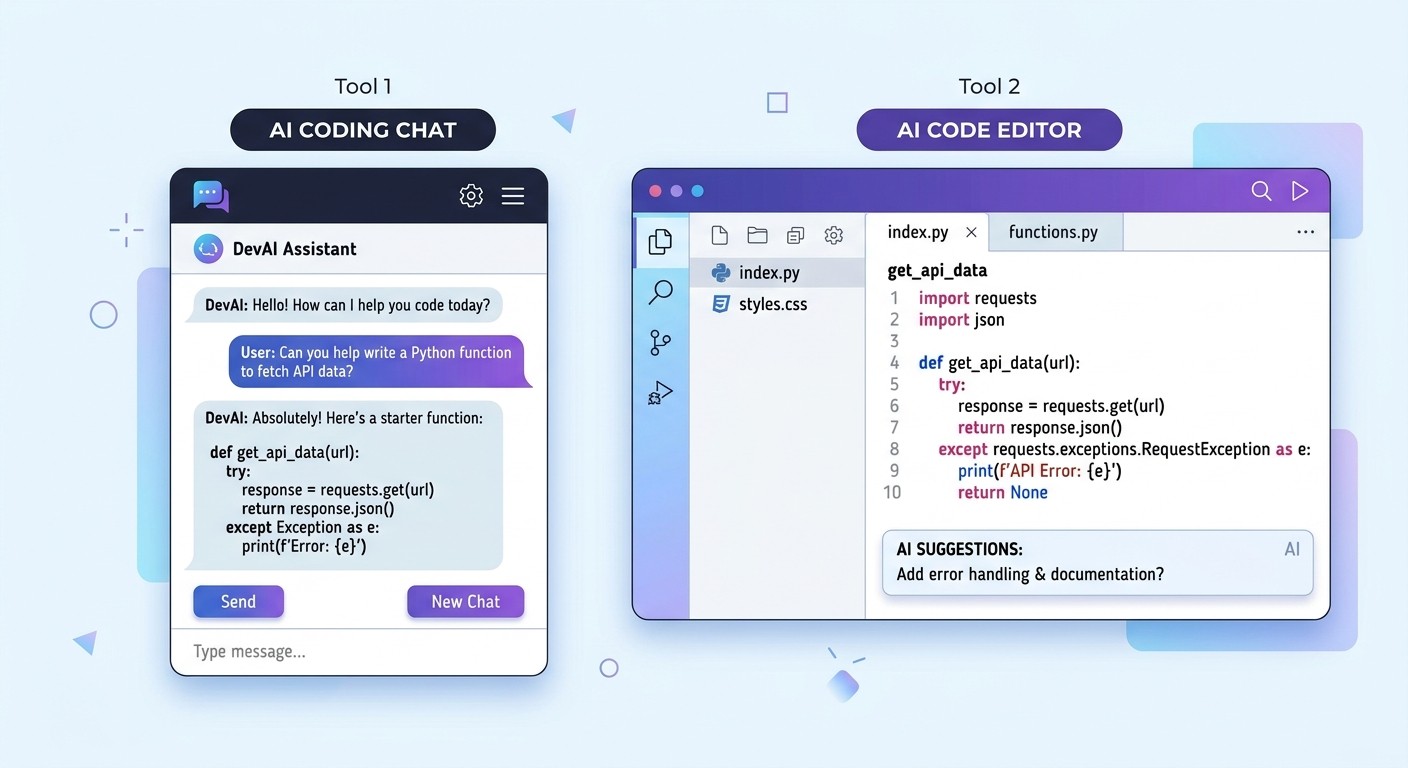
Cursor indexes the whole project by default. Open a folder and Cursor maps every file, import, and dependency. Ask it to rename a function and it finds each caller. Ask for a feature and it knows which files to touch and which patterns your project already follows.
You steer that behavior with rules files. If you have seen .cursorrules mentioned in an older tutorial, that format is gone. Cursor now uses .mdc files inside a .cursor/rules directory, which require frontmatter, or a plain AGENTS.md file in your project root as a simpler alternative.
How They Compare for Specific Tasks
The better tool depends on what you are doing. Here is how they perform across common development work.
Code Generation
ChatGPT generates code in chat or writes it directly through Codex. For standalone functions, boilerplate, and algorithms, the chat window is fast and good. Cursor generates code inside your files with awareness of your existing conventions, so imports and naming usually match without being asked. For features touching several files, Cursor's Agent mode handles the whole implementation in one pass.
Debugging
ChatGPT is strong at explaining errors. Paste a stack trace and it walks through what broke and why, which is useful when you want to understand the bug rather than just clear it. Cursor catches a different class of problem. Because it sees how files interact, it spots issues like a type mismatch between a component and its parent, or a missing import that only fails at runtime.
Code Explanation and Learning
ChatGPT wins here clearly. Its format is built for back-and-forth. You can ask what a function does, follow up on why a generator was used, then ask for a simpler version. Cursor can explain code, but its chat is tuned for action rather than exploration. If you are learning a language or framework, ChatGPT is the better teacher.
Refactoring and Multi-File Edits
Cursor dominates. Agent mode can rename a symbol across dozens of files, extract a shared utility, fix imports, and run the test suite to confirm nothing broke. Codex can do this too, but Cursor's Agents Window lets you run several such jobs at once and review them side by side, which is a real difference on large refactors.
Here is a summary of which tool wins for each task:
Task | Better Tool | Why |
|---|---|---|
Code generation (standalone) | Tie | Both produce quality code; Cursor adds project context |
Code generation (multi-file) | Cursor | Agent mode edits across files in one pass |
Debugging (error explanation) | ChatGPT | Conversational format suits diagnosis |
Debugging (cross-file issues) | Cursor | Full codebase context catches dependency bugs |
Learning and explanation | ChatGPT | Built for iterative questions |
Large refactors | Cursor | Parallel agents plus automated verification |
Writing tests | Cursor | Reads your code to generate relevant cases |
Code review | Tie | Codex reviews in the cloud; Cursor uses Bugbot and Security Review |
Documentation | ChatGPT | Stronger at long-form writing |
Access to newest OpenAI models | ChatGPT | GPT-6.1 Sol is in Codex; Cursor has no GPT-6 model |
Model variety | Cursor | Runs Anthropic, Google, Meta, and Grok models in one picker |
Pricing Comparison
Both tools have free tiers, and both added new paid tiers in 2026. Here is the current lineup for each.
ChatGPT Plans
Plan | Price | Best For |
|---|---|---|
Free | $0/mo | Quick coding questions. GPT-6 Luna, rolling out in chat and the Codex desktop app. |
Go | $8/mo | Lightweight coding tasks on a budget. Luna only. |
Plus | $20/mo | Most developers. GPT-6.1 Sol, Astra, and Luna in Codex, GPT-6 in chat. |
Pro | $100/mo | Heavy Codex use with no five-hour limit, plus GPT-6 Pro in chat. |
Pro | $200/mo | 10x the Plus allowance for new subscribers, down from 20x. |
Pro | $500/mo | The top tier, and the only individual plan with Ultrafast mode. |
Business | $25/user/mo | Teams. Drops to $20/user/mo billed annually, two-seat minimum. |
Codex usage on Plus and Business is metered per five-hour window, and OpenAI publishes estimated local message ranges for each model. Pro plans currently have no five-hour limit, though weekly limits can still apply.
Model | Plus and standard Business, per 5 hours |
|---|---|
GPT-6 Astra | 5-45 |
GPT-6.1 Sol | 15-160 |
GPT-6 Sol | 15-150 |
GPT-6 Luna | 350-3,000 |
GPT-6.1 Sol gets a little more room than GPT-6 Sol, up to 160 messages per window against 150, so moving to the newer model does not cut your limits. Plus and Pro users can also buy extra credits rather than upgrading a tier, which is the cheaper fix for an occasional heavy week.
Pro now comes in three sizes. The $100 tier fills the old gap between Plus and $200. The $200 tier is shrinking: according to The Next Web, new subscribers get 10x the Plus allowance instead of 20x, and existing subscribers drop to 10x on October 30.
Cursor Plans
Plan | Price | Best For |
|---|---|---|
Hobby | $0/mo | Trying it out. Limited agent requests, includes Composer. |
Pro | $20/mo | Daily coding. Frontier models, cloud agents, MCPs and hooks. |
Pro Plus | $60/mo | Heavy agent use without hitting limits. |
Ultra | $200/mo | Maximum limits for constant agent workloads. |
Teams Standard | $40/user/mo | Teams. SSO, shared context, usage analytics, Bugbot. |
Teams Premium | $120/user/mo | Teams needing roughly 5x the Standard agent limits. |
One important correction to older advice: Cursor's Auto mode is not free. Every Auto request bills at the list price of whichever model it gets routed to, and on Teams and Enterprise third-party models carry an extra $0.25 per million tokens on top. On Teams and Enterprise, Auto also runs through Cursor Router, which you can bias toward cost, balance, or intelligence. Cursor says individual plans will get the router later.
Cursor no longer publishes fixed request counts per plan. Its pricing documentation frames expected spend instead: daily Tab users and light agent users generally stay within included usage, daily agent users land around $60 to $100 per month in total usage, and power users running multiple agents often pass $200.
That is the honest catch with Cursor. The $20 sticker price is the floor, not the ceiling, if you lean on agents all day.
Cursor Pro vs ChatGPT Plus, Tier by Tier
Since these plans get compared directly, here is how they line up at each price point.
Price | ChatGPT | Cursor | Verdict at this price |
|---|---|---|---|
$0 | Free: GPT-6 Luna in chat and the Codex desktop app | Hobby: limited agent requests | ChatGPT gives more usable value free |
$20 | Plus: GPT-6.1 Sol in Codex, GPT-6 in chat | Pro: Composer, frontier models, cloud agents | Cursor if you ship code; ChatGPT if you also write and research |
$60-100 | Pro at $100: no five-hour Codex limit, GPT-6 Pro in chat | Pro Plus at $60: extended agent limits | Cursor Pro Plus is the cheaper step up |
$200 | Pro $200: 10x the Plus allowance | Ultra: maximum agent limits | Depends entirely on which agent you already prefer |
$500 | Pro $500: Ultrafast mode | No individual plan at this price | ChatGPT only; Cursor tops out at $200 for individuals |
Running ChatGPT Plus and Cursor Pro together costs $40 per month before any usage-based overage on the Cursor side.
Which Tool Fits Your Role?
The right choice depends less on the tools and more on how you work.
Professional Developers
If you ship code daily on a real codebase, Cursor is probably your primary tool. Project-wide context, parallel agents, and tab completions improve developer productivity in ways a chat window cannot match. Keep ChatGPT alongside it for architecture planning, unfamiliar APIs, and writing, and note that it is the direct way to use GPT-6.1 Sol, which Cursor does not offer.
Students and Beginners
Start with ChatGPT. Its conversational format suits learning, and you can ask follow-up questions without a project open. The $8 Go tier is a reasonable middle step if the free limits get tight before you are ready to pay $20. Add Cursor's free Hobby tier once you are building real projects.
Non-Technical Founders
Neither tool is the right starting point. Both assume you can read and judge code, and agents make that assumption more consequential, not less. Look at AI app builders that handle generation and deployment for you, and use ChatGPT for product requirements and market research.
Team Leads and Engineering Managers
Cursor Teams Standard at $40 per user adds SSO, centralized billing, shared team context, usage analytics, and Bugbot code review. Teams Premium at $120 per user raises agent limits roughly fivefold. ChatGPT Business at $25 per user, or $20 billed annually, works well as a shared research and writing layer next to it.
Two budgeting notes. Treat Cursor seat prices as a floor and plan for usage-based spend on top. And if your team has standardized on OpenAI models inside Cursor, put the November 12 cutoff on the roadmap now rather than discovering it in a sprint.
Can You Use Both Together?
Yes, and most developers already mix tools. The 2026 Stack Overflow Developer Survey, published October 6 with 30,903 responses, found 83% of developers use at least one AI tool at work. Among developers who used a coding agent in the past year, 65.5% used Claude Code, 58.7% GitHub Copilot, 29.5% OpenAI Codex, and 25.5% Cursor. Those shares add up to well over 100% because people run more than one.
For this comparison, the useful number is the last pair. Codex, ChatGPT's coding agent, already edges out Cursor by four points among agent users.
A typical combined workflow looks like this:
Research in ChatGPT. Explore the problem, compare approaches, and outline a solution before touching code.
Build in Cursor. Open the project and let Agent mode implement the plan across files.
Debug across both. Use Cursor for bugs that depend on codebase context, ChatGPT for logic you want explained step by step.
Document in ChatGPT. Generate READMEs, API docs, and changelogs.
If you want GPT-6.1 Sol in this setup, it already has to come from OpenAI's side, since Cursor's model picker stops at GPT-5.6. Running Codex in a terminal next to Cursor, or just keeping both apps open, works today and keeps working after the November cutoff.
The same survey is a useful reality check. The most common answer on trust, at 48.0%, was that developers trust AI output when they can easily verify it. Only 6.6% trust it for many tasks including important work decisions. These tools speed up the work. They do not remove the need to read what they produce.
Other AI Coding Tools to Consider
ChatGPT and Cursor are not the only options, and both main competitors improved their position this year.
GitHub Copilot
Copilot runs as an extension inside VS Code, JetBrains, Visual Studio, Eclipse, and Xcode. Pricing is Free, Pro at $10, Pro+ at $39, Max at $100, Business at $19 per seat, and Enterprise at $39 per seat. It remains the cheapest paid entry point in this category.
Copilot also carries every current OpenAI model. GPT-6.1 Sol arrived on September 29, the day it launched, on Pro+, Max, Business, and Enterprise, joining GPT-6 Astra and GPT-6 Sol on the same plans. GPT-6 Luna is on every paid plan. That makes Copilot the obvious landing spot for anyone who wants the newest OpenAI models inside an editor rather than in Codex, and the clearest contrast with Cursor's situation.
The other big change came in June 2026, when Copilot moved to usage-based billing through GitHub AI Credits at one cent per credit. Code completions stay unlimited and unbilled on paid plans, but agent work now draws down a monthly credit allotment. Copilot also gained a generally available CLI and an agentic code review that runs on GitHub Actions.
Claude Code
Claude Code from Anthropic changed the most over the year. It launched as a terminal-only tool and now also runs as VS Code and JetBrains extensions, native desktop apps, a web app, iOS and Android apps, a Slack integration, and a GitHub Action.
The pricing model changed too. It no longer requires an API key and token billing. Claude Code is included in Claude Pro at $20 per month, and in Max at $100 or $200 per month depending on usage multiplier. Since September 22, every paid plan defaults to Claude Opus 5.5, priced at $4 in and $20 out per million tokens, 20% below Opus 5. Anthropic says that at default settings it costs about 40% less than Opus 5 on typical workloads. Sonnet 5.5 followed on September 28 at $2 in and $10 out, the same list price as GPT-6.1 Sol, and Haiku 5.5 on October 7. If you are weighing it against Cursor specifically, we compared them in Claude vs Cursor.
Frequently Asked Questions
Is Cursor better than ChatGPT for coding?
For writing and editing code inside a real project, usually yes. Cursor indexes your whole codebase and can run several agents in parallel against it. ChatGPT is better for learning, planning, explaining tricky logic, and any work that mixes code with writing or research. Codex closed most of the old gap by editing local files directly, so the split now comes down to orchestration, where Cursor leads, against model access, where ChatGPT does.
Can ChatGPT replace Cursor?
For many developers, yes. Codex runs in your terminal and IDE and edits project files, which removes the copy-paste loop that used to make ChatGPT impractical for real work. What you give up is parallel agent orchestration: Cursor's Agents Window and Cloud Agents let you supervise many jobs side by side, which Codex does not match.
Which model does ChatGPT use for coding now?
In Codex, Plus and higher plans get GPT-6.1 Sol, which became the Codex CLI default on October 7. In the regular chat window, paid plans are moving to GPT-6, which runs on GPT-6 Sol, while Free and Go get GPT-6 Luna. GPT-6.1 Sol is not available in chat, only in Codex and ChatGPT Work.
Will Cursor lose access to OpenAI models?
Yes. On August 28, 2026, after SpaceX acquired Cursor, OpenAI said it would wind down the contract supplying its models to Cursor, naming a proposed shutoff date of November 12, 2026. That date has not moved, though OpenAI says Cursor may end access sooner. OpenAI is also withholding new releases in the meantime, so GPT-6 and GPT-6.1 Sol are not coming to Cursor. Bring-your-own API key, the Codex IDE extension installed inside Cursor, and third-party AI gateways still work after the cutoff in local sessions, but Cursor-supplied OpenAI access ends.
Can you use GPT-6.1 Sol in Cursor?
Not through Cursor's model picker. OpenAI is withholding new models from Cursor during the wind-down, and Cursor's docs list OpenAI models only up to GPT-5.6. Your own OpenAI API key does not change that, since Cursor limits OpenAI keys to standard, non-reasoning chat models. The dependable route is to run Codex itself, in the terminal or the Codex app, next to Cursor.
Is Cursor free?
Cursor has a free Hobby tier with limited agent requests that includes access to Composer. Cursor no longer publishes a specific request count for it. It is enough to evaluate the editor, but daily users generally move to Pro at $20 per month.
What AI models does Cursor use in 2026?
Composer 2.5, Cursor's in-house model, is the recommended default, and it sits in a first-party pool alongside Grok 4.7, 4.6, and 4.5. A separate pool covers third-party models billed at their API rate, including Claude Opus 5.5, Sonnet 5.5, Haiku 5.5, and Fable 5.1, Gemini 3.1 Pro and 3.8 Flash, and Meta's Muse Spark 1.3. OpenAI models stop at GPT-5.6 and lose support on the proposed November 12, 2026 cutoff.
How much does it cost to use both tools?
ChatGPT Plus and Cursor Pro together cost $40 per month in subscription fees. Budget above that for Cursor, since agent requests draw on usage pools. Cursor's own documentation estimates daily agent users at $60 to $100 per month in total usage and power users at $200 or more.
Do I need both ChatGPT and Cursor?
It depends on your bottleneck. ChatGPT alone is enough if you mainly need help understanding code, learning frameworks, or planning, and Codex covers moderate hands-on work. Cursor alone is enough if your work is mostly editing large codebases. For non-developers, free app builders offer a path to shipping software without writing code at all.
The Bottom Line
ChatGPT and Cursor converged on capability and then diverged on ownership. Codex made ChatGPT a real coding agent, and Cursor turned itself into an agent platform rather than just an editor. Both edit your files. Both run capable models. What changed in the last six weeks is that they now sit on opposite sides of a corporate line, and Cursor is the one losing access.
So the trade is breadth against depth, with a new asterisk. ChatGPT is one strong assistant that codes, writes, and researches at a predictable $20 per month, with GPT-6.1 Sol in Codex. Cursor is a specialized environment for supervising many coding agents at once, with a bill that scales with how hard you push it and a model roster that shrinks in November.
Pick based on your bottleneck. If you spend more time thinking than typing, start with ChatGPT. If you spend more time editing large codebases, start with Cursor, and check that the models you rely on will still be there. If you are shipping seriously, most developers end up paying for both.
Want to skip the coding entirely? CatDoes builds real mobile apps and websites from a description, no ChatGPT or Cursor required.
Nafis Amiri
Co-Founder of CatDoes